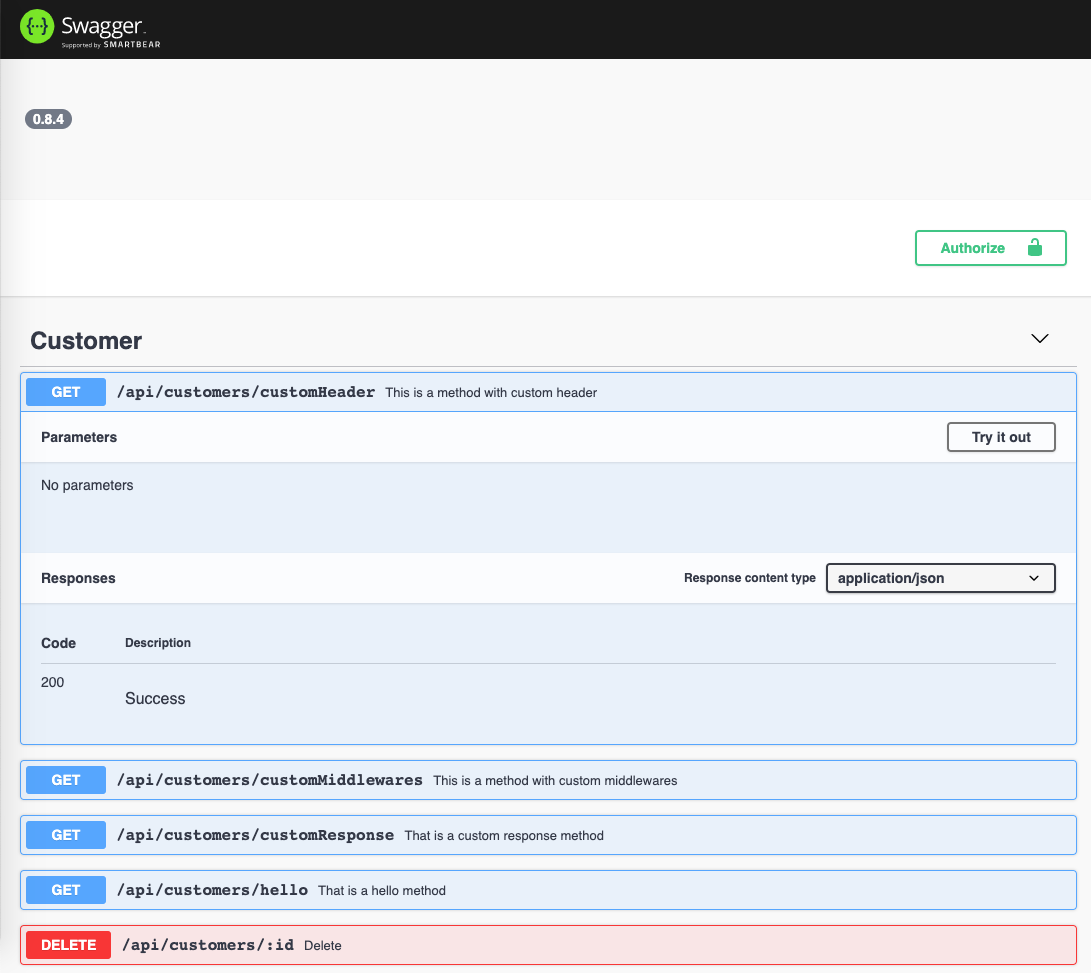
Swagger UI
DaVinci ships with an integrated OpenAPI 2 specification generator and Swagger UI, both are optional.
Enable Swagger UI
To enable the OpenAPI json and the Swagger UI, pass the following options
to the createApp method of DaVinci.
import express, { Express } from 'express';
import { createApp, createRouter, DaVinciExpress } from '@davinci/core';
import { CustomerController } from './api/customer';
import packageJson = require('../package.json');

const options = {
    version: packageJson.version,
    openapi: {
        docs: {
            path: '/api-doc.json',
            options: {
                info: {
                    title: 'Customer API',
                    version: packageJson.version
                },
                securityDefinitions: { Bearer: { type: 'apiKey', name: 'Authorization', in: 'header' } }
            }
        },
        ui: {
            path: '/explorer'
        }
    }
};

const expressApp: Express = express();

createApp(expressApp, options, app => {
    app.use(createRouter({ Controller: CustomerController, resourceName: 'Customer' }));
});

if (require.main === module) {
    // this module was run directly from the command line as in node xxx.js
    (expressApp as DaVinciExpress).start();
}

export default expressApp;
Now, point your browser to the `https?:///explorer` to consult the Swagger UI.